

This section allows you to set up Site Footer Area that will affect its look and general functionality.
There are two footer sections that can be either hidden or shown: Sidebar and Below Area.
Footer settings are as follows:
Summary
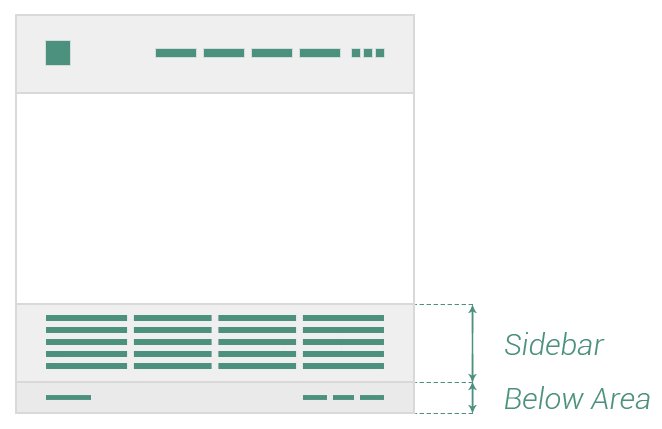
Below Area
The Below Area is designed to be a simple and useful section at the bottom of the page, meant for placing copyright text and additional site menu (that could be used for Privacy Policy, Contact or Documentation), that is also called Footer Menu (it displays a single level in the hierarchy of menu items). The following options are available:
- Enabled — check this if you want to have an additional section to your Site Footer
- Color style — affects both the backgound color and content items color of the Below Area
- Background — background color of Below Area
- Color skin — color skin of Below Area items: copyright text and menu. You could choose between Light (or white) and Dark (almost black)
- Spacing — the amount of space the Sidebar could have
- Top & bottom — vertical spacing around Below Area, measured in pixels
- Left & right — horizontal spacing around Below Area, measured in pixels
- Border Top — choose color and width for the top border of Below Area (pixels)
- Copyright Area — enter here the site copyright text
- Font-size — copyright area font-size, measured in pixels
- Font-weight — how light or bold the copyright area could look
- Menu — the menu of Below Area
- Font-size — menu items could have a certain font-size, measured in pixels
- Font-weight — how light or bold the menu items could look
- Letter-spacing — the space between letters of menu items, measured in pixels
Keep in mind You could also use links in the Copyright Area. Have a look at the example of how you could do it:
<a href=”https://www.insert-here-your-link.com”>Link-text</a>